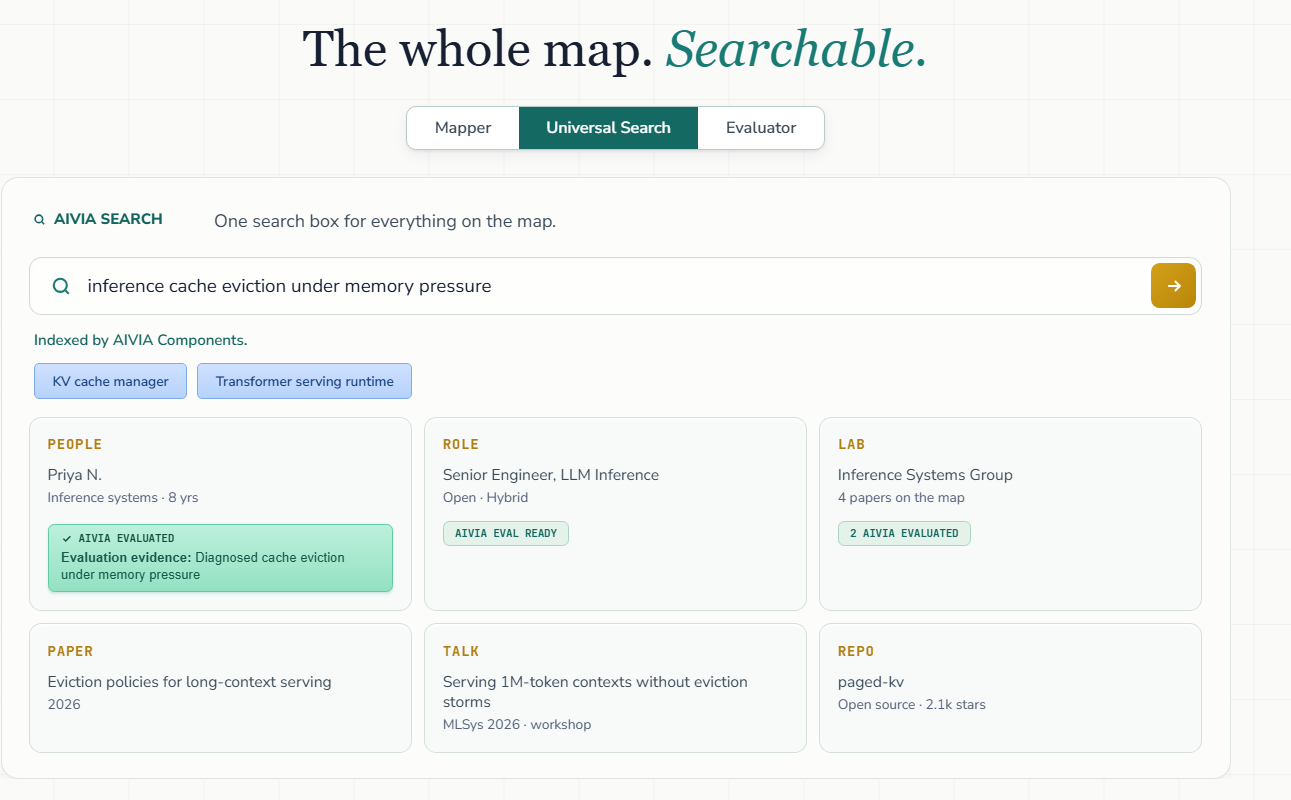
AIVIA indexes more than 1,000 AI labs, research artifacts, and job postings by the technical components they involve. Universal Search gives you one search box for everything on the map.
How It Works
01 Describe the problem
Search in plain language, the way you’d describe the work. For example: inference cache eviction under memory pressure.
02 AIVIA maps it to components
AIVIA maps your search to Components, so you see which technical building blocks it involves, like KV cache manager and Transformer serving runtime.
03 See everything connected to them
Results come back across the whole map, all tied to those same components.
What You’ll Find
- People connected to those components through their mapped work, with evaluation evidence when they’ve been AIVIA evaluated
- Job postings that call for those components
- Labs doing research on them
- Papers on the problem
- Repositories, including open-source projects
- Datasets connected to those components
Look for the AIVIA badges:
- AIVIA Evaluated on a person means they’ve been evaluated on the problem, with the evaluation evidence shown right on the result.
- AIVIA Eval Ready on a job posting means it has an AIVIA evaluation ready to go.
- AIVIA Evaluated counts on a lab show how many of its people have AIVIA evaluations.
For candidates
FIND WHERE YOUR WORK FITS
- Search the problems you work on to see the job postings, labs, and research connected to them
- Spot Eval Ready job postings where an evaluation lets you show your reasoning directly
- Show up in People results through your mapped work; evaluations add reasoning evidence to your result
Haven’t built your component map yet? Start in the Setup tab of your AIVIA dashboard.
For hiring leads
FIND THE PEOPLE BEHIND THE WORK
- Describe the problem your role solves and find people connected to that work, with evaluation evidence when available
- Follow labs, papers, repositories, and datasets to find the people behind the work
- Move straight to prescreening with evaluations on the same components
See the hiring section of the AIVIA Quick Start for prescreening and interviewing with evidence.
For labs
SEE YOUR RESEARCH IN CONTEXT
- Find your lab and the papers already on the map
- See the job postings and research connected to the components your lab works on
- Discover related labs, papers, repositories, and datasets working on the same problems
Want to manage how your lab appears? Search for it in the lab index and claim your workspace, or submit your lab’s website for priority indexing.